

In this tutorial I will demonstrate how can we create the Mule OAUTH 2.0 provider using CLIENT_CREDENTIALS as Grant Type and deploy the same on Mule Runtime and get the bearer token value and also I will demonstrate how to apply OAUTH 2.0 Access Token enforcement policy using Mule OAUTH 2.0 Provider and use the token value generated to authenticate the mule api.
OAuth 2.0 Overview
OAuth 2.0 Authorization Protocol
OAuth 2.0 is the industry-standard protocol for authorization. OAuth 2.0 focuses on client developer simplicity while providing specific authorization flows for web applications, desktop applications, mobile phones, and living room devices.
Mule OAuth 2.0 Provider
Mule OAuth 2.0 Provider is an OAuth 2.0 provider alternative developed by MuleSoft that can be used in any MuleSoft API Platform organization.
OAuth 2.0 Grant Types
OAuth 2.0 specifies the following grant type methods for requesting a token:
Used by server-side web applications where source code is not exposed and client secret can remain confidential.
Simplified authorization code flow historically used by browser-based single page applications.
Used when the user has a high degree of trust in the client, passing username and password directly.
Used for machine-to-machine (M2M) server communication where the client authenticates using its own credentials (used in this tutorial).
1Create project in anypoint studio
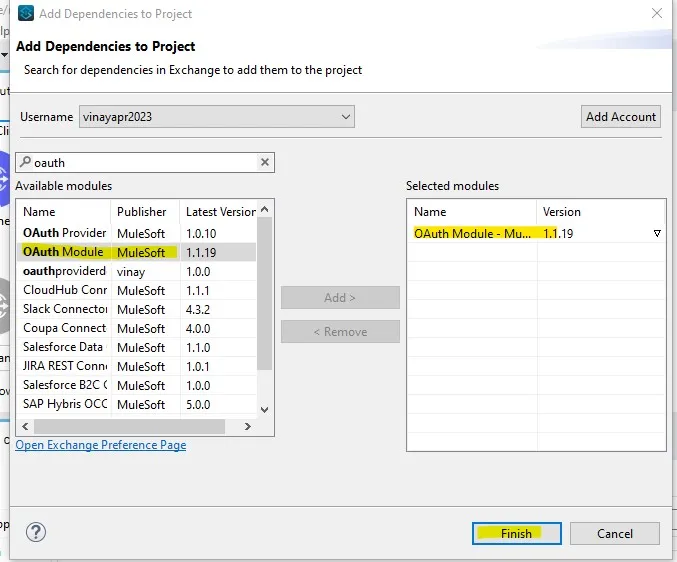
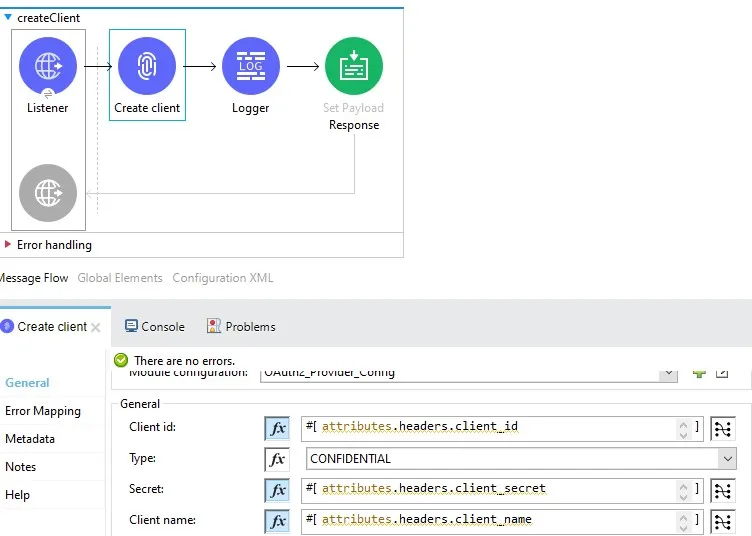
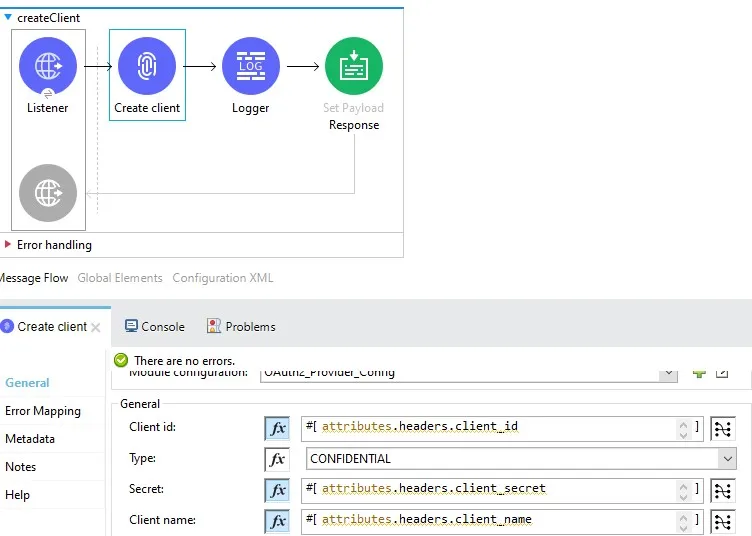
Drag and drop create client operation from mule palette and complete the configuration for Oauth2 Provider Config( if you did not find create client operation please add OAUTH provider module from exchange)
2Configure Client Object Store
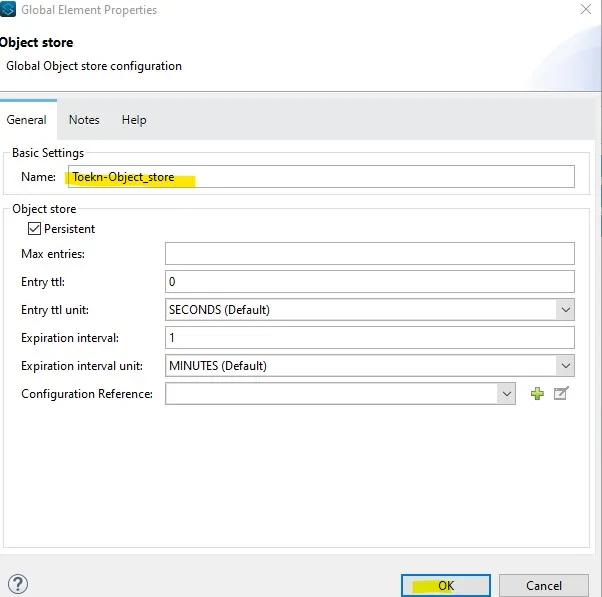
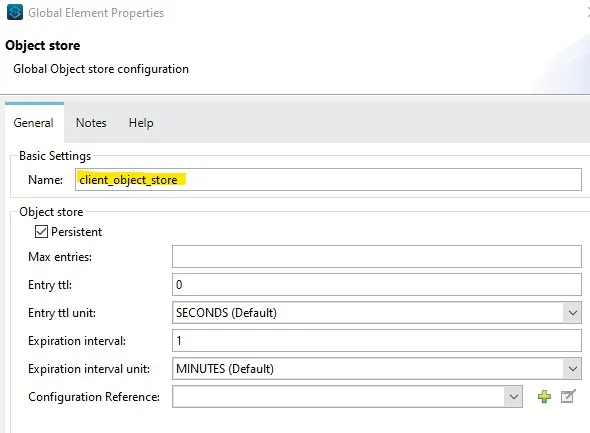
Configure the client object store to prevent any possible downtime of Mule OAuth 2.0 Provider due to errors when connecting to Anypoint Platform, the Mule OAuth client store caches each valid client application(client credentials) for which a token is requested.
3Configure Grant Type and Token
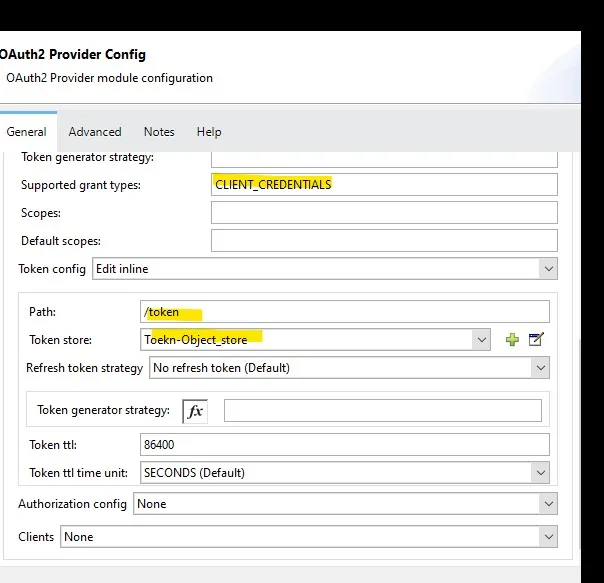
Pass the supported grant types as CLIENT_CREDENTIALS, path as /token to get the token and configure the token object store to store the token value, you can configure the token TTL as per requirement, I have kept is as default value and refresh token strategy as No Refresh Token as Default value
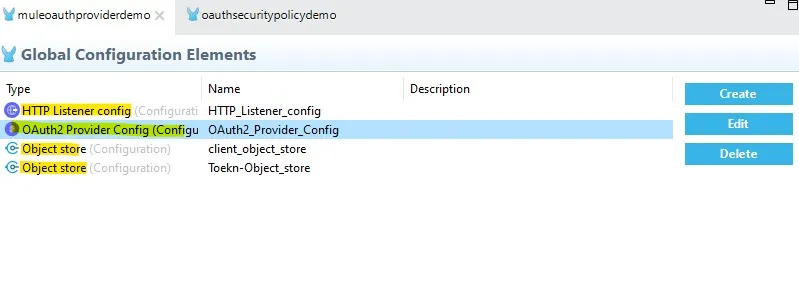
4Global elements configuration
Global elements configuration:
5Configure the details for Create Client
Configure the details for Create Client
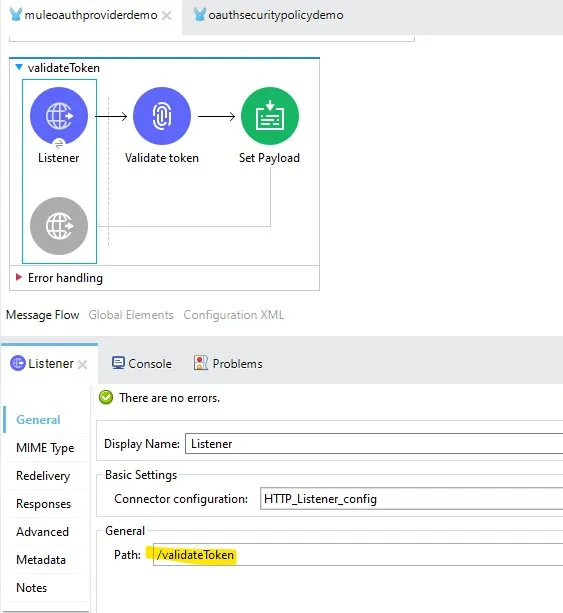
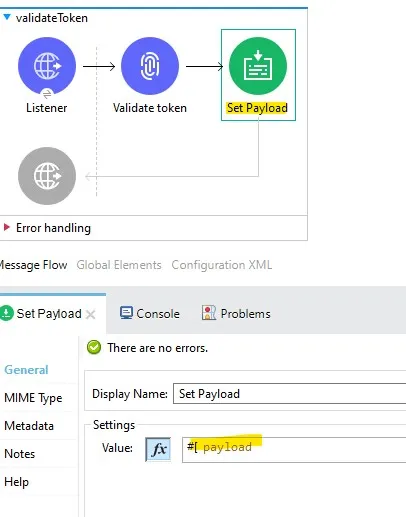
6Validate Token Operation
Now next step is to add operation to validate the token
Drag and drop the validate token operation from mule palette in same project
7Set the response in Set Payload
Set the response in Set Payload
8Deployment and API Protection
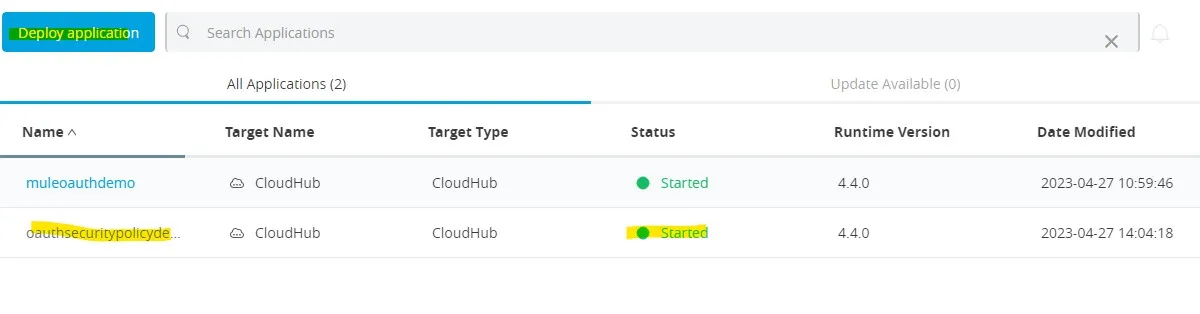
Deploy the application on Cloudhub OAUTH provider application successfully running, we will use in next part to get the access token

Create one sample mule application Deploy the sample Mule Application on Cloudhub
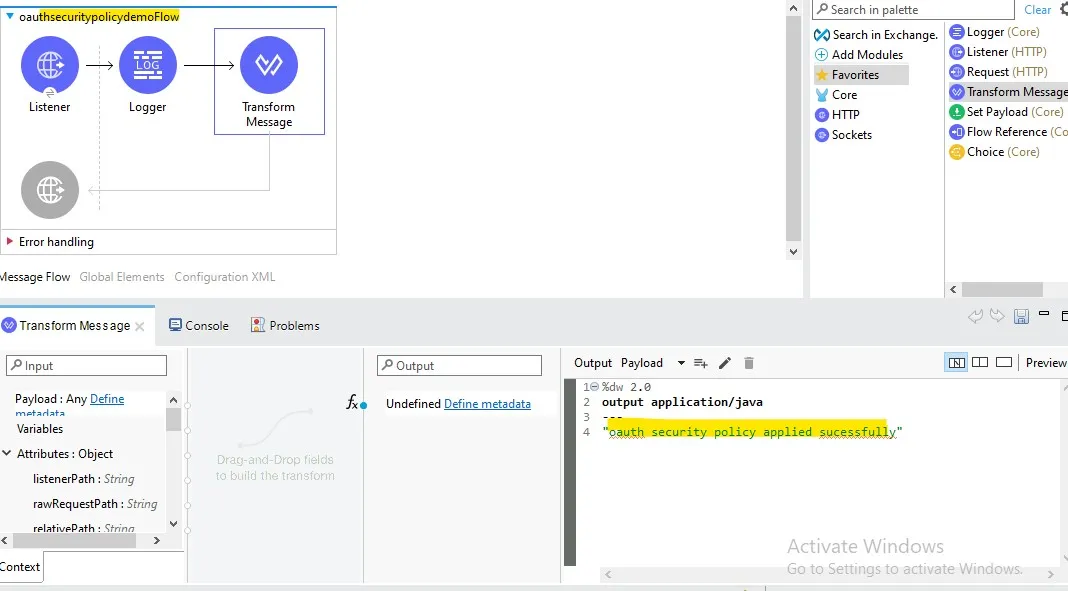
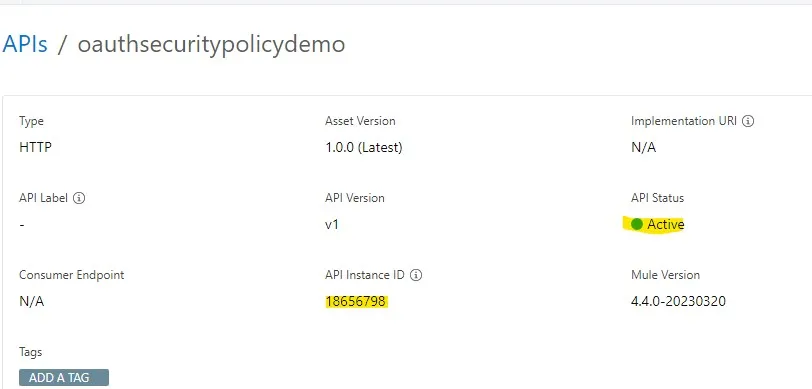
Now I will register the client as mentioned
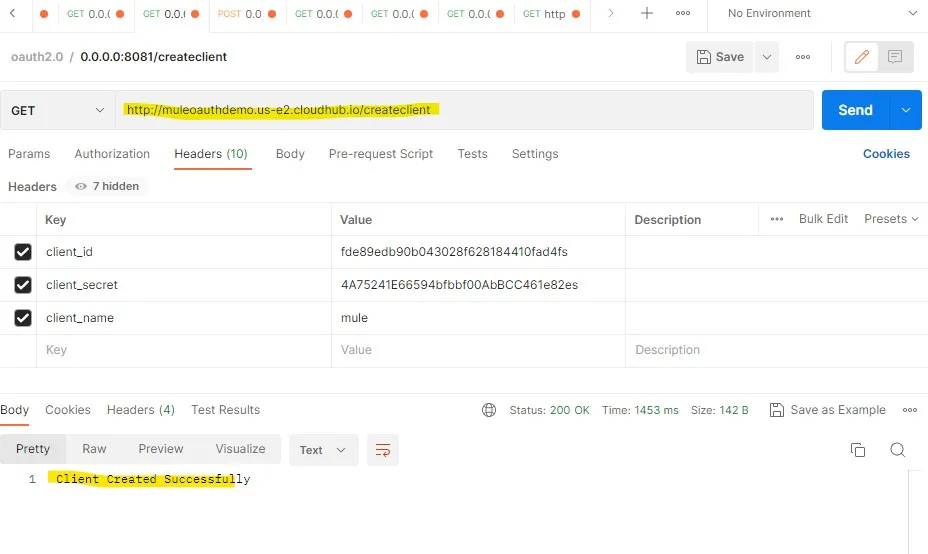
Next step is to get the OAUTH token
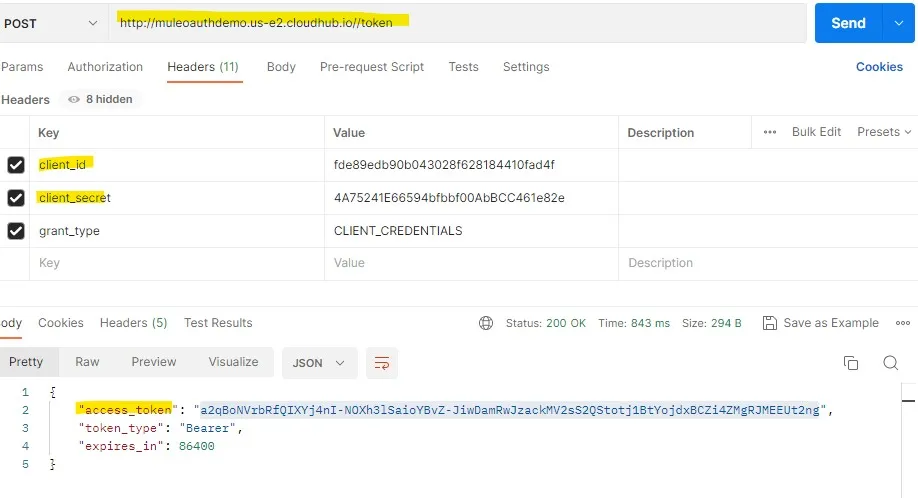
pass the token in Header to invoke the mule api created

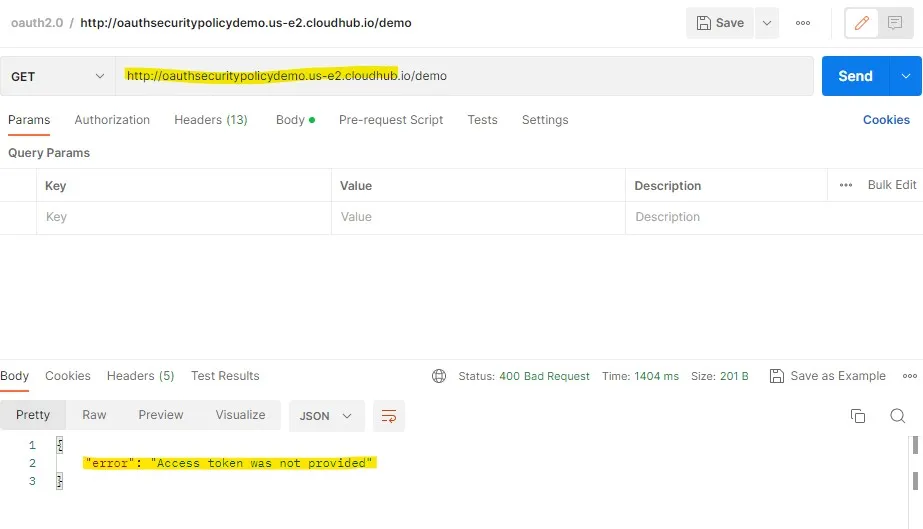
Now I will test the mule application without passing any Oauth credentials and got the error as “Access token was not provided”
Now I will test the mule application with all required parameters
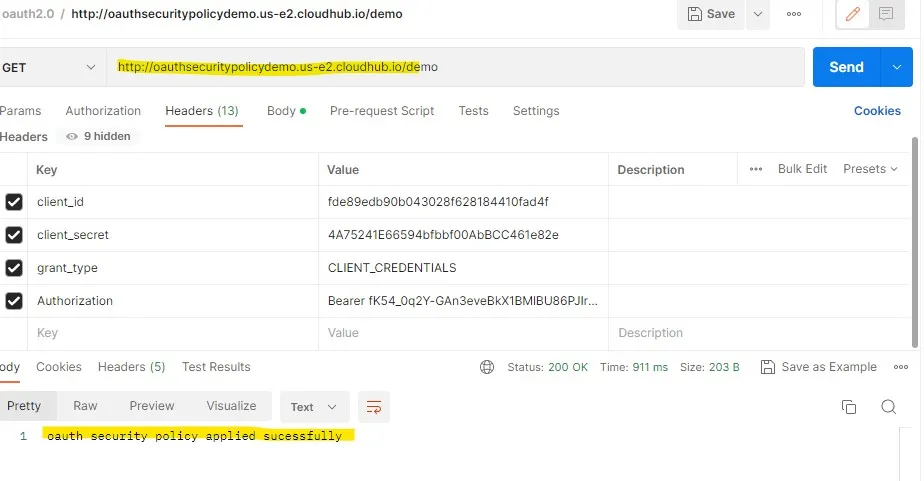
We applied the policy and retrieve the data successfully
Conclusion
In this tutorial, we successfully built and deployed a custom Mule OAuth 2.0 Provider leveraging Anypoint Studio and Cloudhub runtime. By configuring client caching stores, CLIENT_CREDENTIALS grant flow, and token endpoints, we generated valid bearer tokens to enforce enterprise-grade security policies on downstream Mule APIs.

“Thank you for taking out time to read the above post. Hope you found it useful. In case of any questions, feel free to comment below. Also, if you are keen on knowing about a specific topic, happy to explore your recommendations as well.”

Vinay Kumar Theetla
Integration and API Security Specialist at DigitalBuzz Software, experienced in MuleSoft Anypoint Platform, Cloudhub architectures, OAuth 2.0 authentication, and enterprise API governance.