
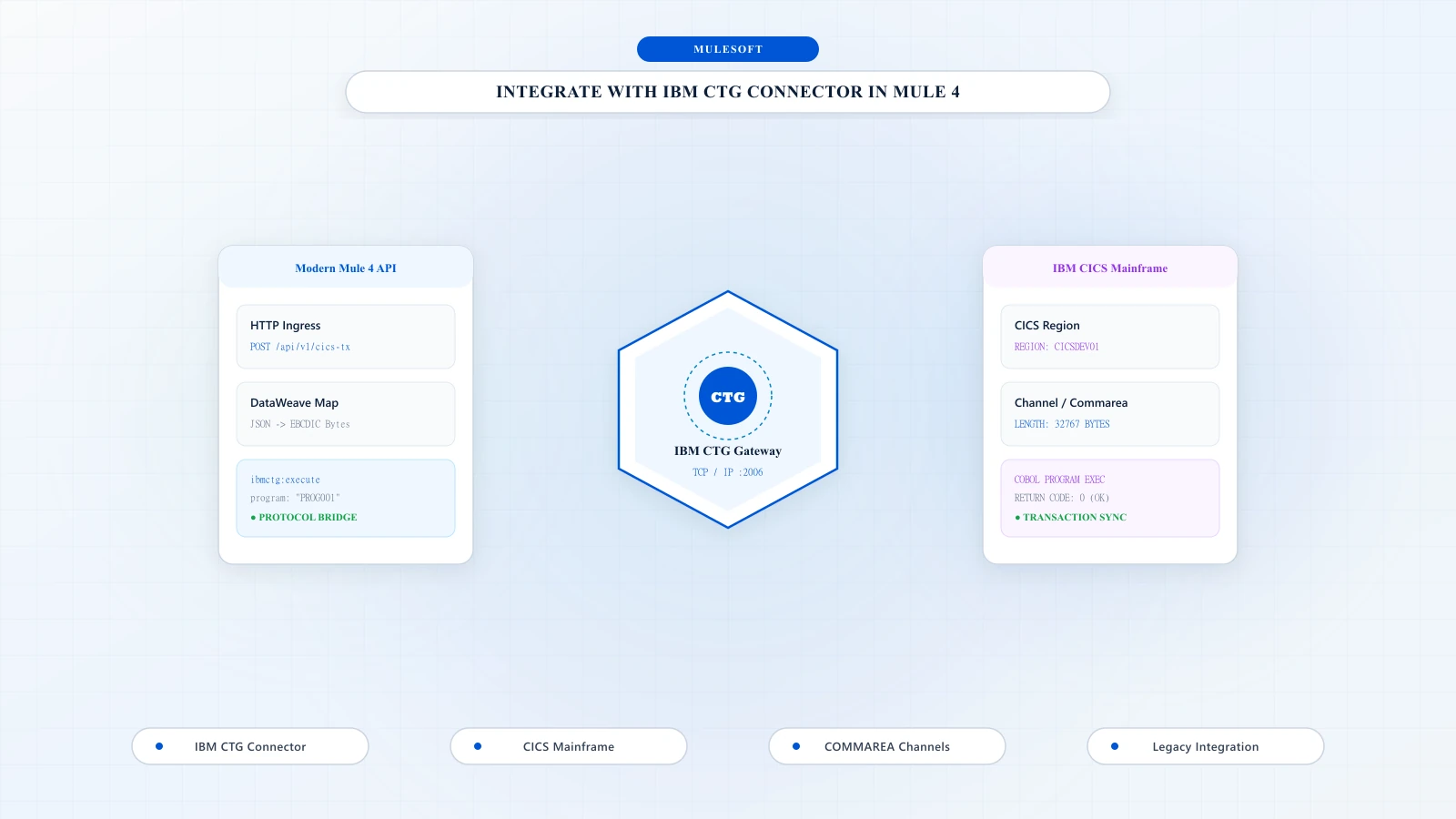

CICS is a transaction processing subsystem that provides services for a user to run applications by request. It enables many users to submit requests to run the same applications, using the same files and programs, at the same time. CICS manages the sharing of resources, integrity of data, and prioritization of execution, while maintaining fast response times.
Usually in migration APIs from IIB to Mule this connector is used to connect with mainframe legacy system.
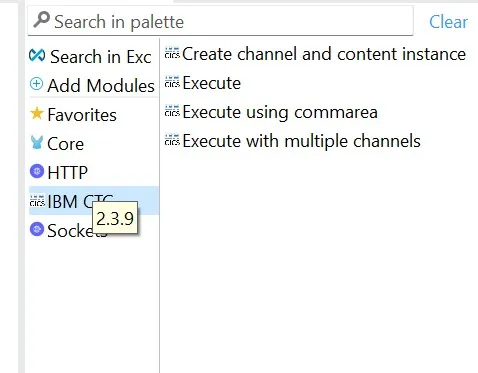
1Add the Connector Using Exchange
Add the Connector Using Exchange -
2POM Dependency
Also can add pom dependency for IBM CTG module.
<"text-amber-300">class="text-sky-400 font-semibold">dependency>
  <"text-amber-300">class="text-sky-400 font-semibold">groupId>com.mulesoft.connectors</"text-amber-300">class="text-sky-400 font-semibold">groupId>
  <"text-amber-300">class="text-sky-400 font-semibold">artifactId>mule-ibm-ctg-connector</"text-amber-300">class="text-sky-400 font-semibold">artifactId>
  <"text-amber-300">class="text-sky-400 font-semibold">version>X.X.X</"text-amber-300">class="text-sky-400 font-semibold">version>
  <"text-amber-300">class="text-sky-400 font-semibold">classifier>mule-plugin</"text-amber-300">class="text-sky-400 font-semibold">classifier>
</"text-amber-300">class="text-sky-400 font-semibold">dependency>3Program Types: Commarea & Channels
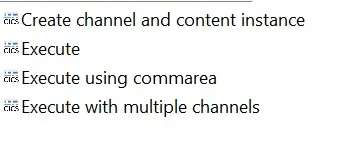
This module contains four connectors. Mainly two types of program is there- Commarea and channel. Two type of channel is present – single and multiple.
4Required JAR Dependencies
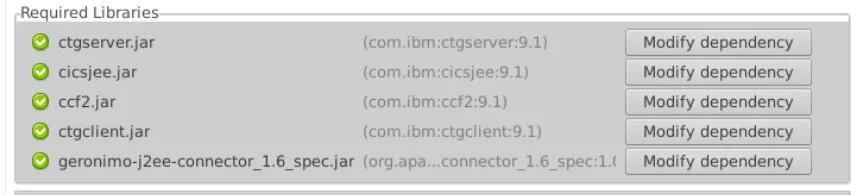
For connector configuration need to add the required following dependencies –
ctgserver.jar(CTG Server Library)cicsjee.jar(CICS JEE)ccf2.jar(CICS Common Connector Framework)ctgclient.jar(CTG Client Library)geronimo-j2ee-connector_1.6_spec.jar
5Connector Configuration Parameters
Host
Enter the host name of the CICS.
Port
Enter the port on which the CICS is running. Default value is 2006.
Server name
Enter the name of the target CICS server as defined in the CICS configuration file. Optional.
Username
Enter the CICS user ID. Optional, if security is not enabled in the CICS region.
Password
Enter the password for the CICS user ID. Optional, if security is not enabled in the CICS region.

6SSL & Keystore Settings
Some additional setting configuration is required if there is any keystore containing the certificates required for an SSL client.
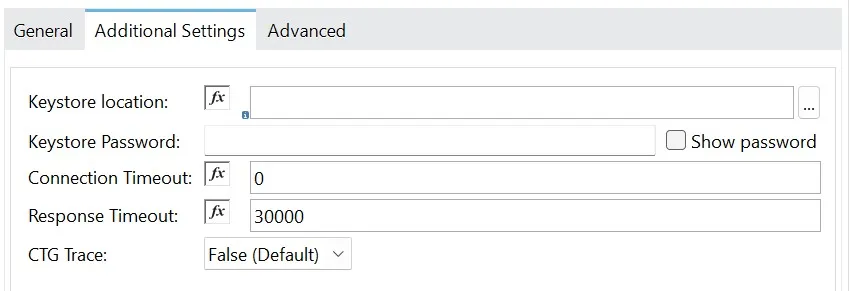
Keystore location
Enter the location of the keystore containing the certificates required for an SSL client.
Keystore Password
Enter the password required to access the keystore for an SSL client.
7Commarea & Channel Execution
While executing with commearea need to define the commareaLength and replyLength
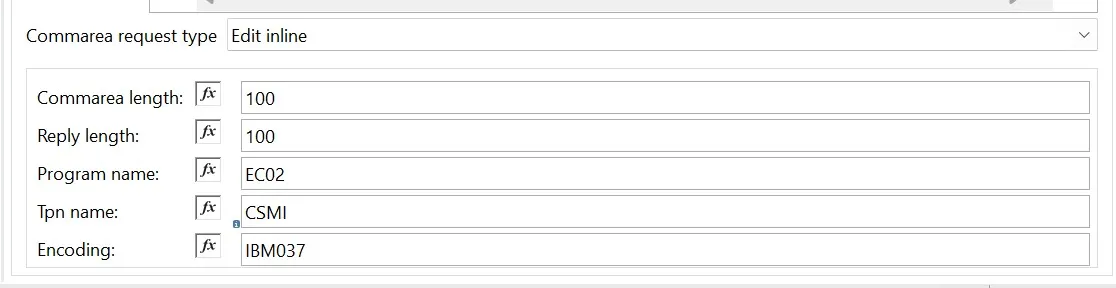
configure the following fields in case of channels (single/ multiple).


“Thank you for taking out time to read the above post. Hope you found it useful. In case of any questions, feel free to comment below. Also, if you are keen on knowing about a specific topic, happy to explore your recommendations as well.”

Soma Mitra
Integration specialist and enterprise solution engineer at DigitalBuzz Software, focusing on MuleSoft middleware, mainframe CICS integration, and enterprise connectivity.
Related Articles
All ArticlesBulk-insert using Database connector
Learn how to implement bulk insert operations using the Mule 4 Database Connector.
Wanna Create Shared Resources To Reuse – Use The Steps To Create Domain Project
Learn how to create a Mule domain project and reuse shared resources across multiple Mule applications.