


Domain Project is used to create shared resources which can reuse across other projects who are referring to domain projects.
Below are the following steps how to create domain project in mule 4 -
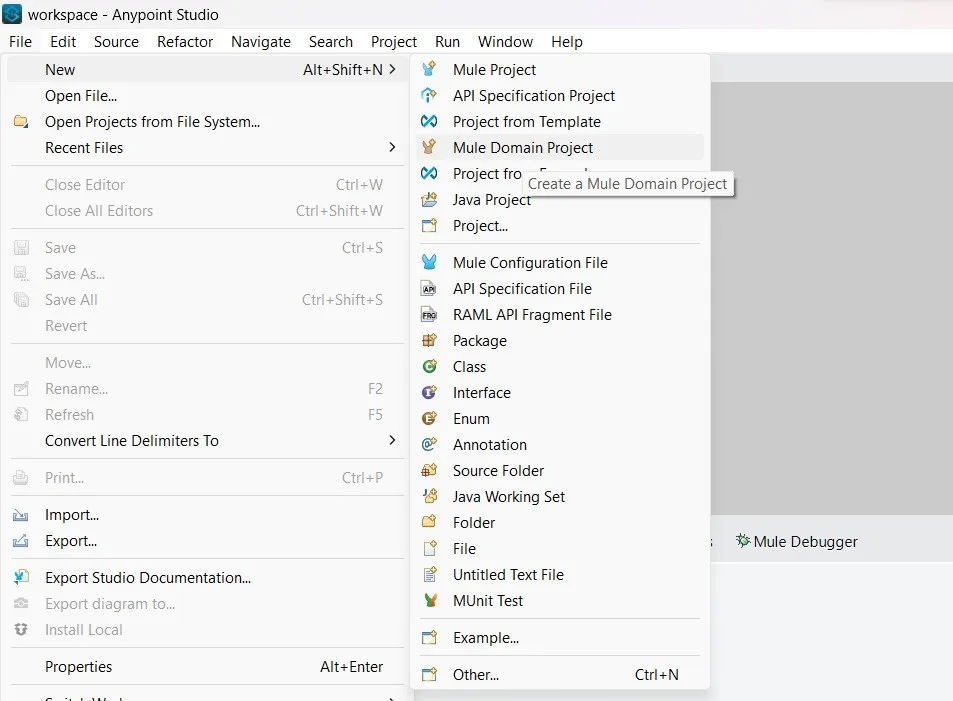
1Create the domain project in anypoint studio. File -> New -> Mule Domain Project
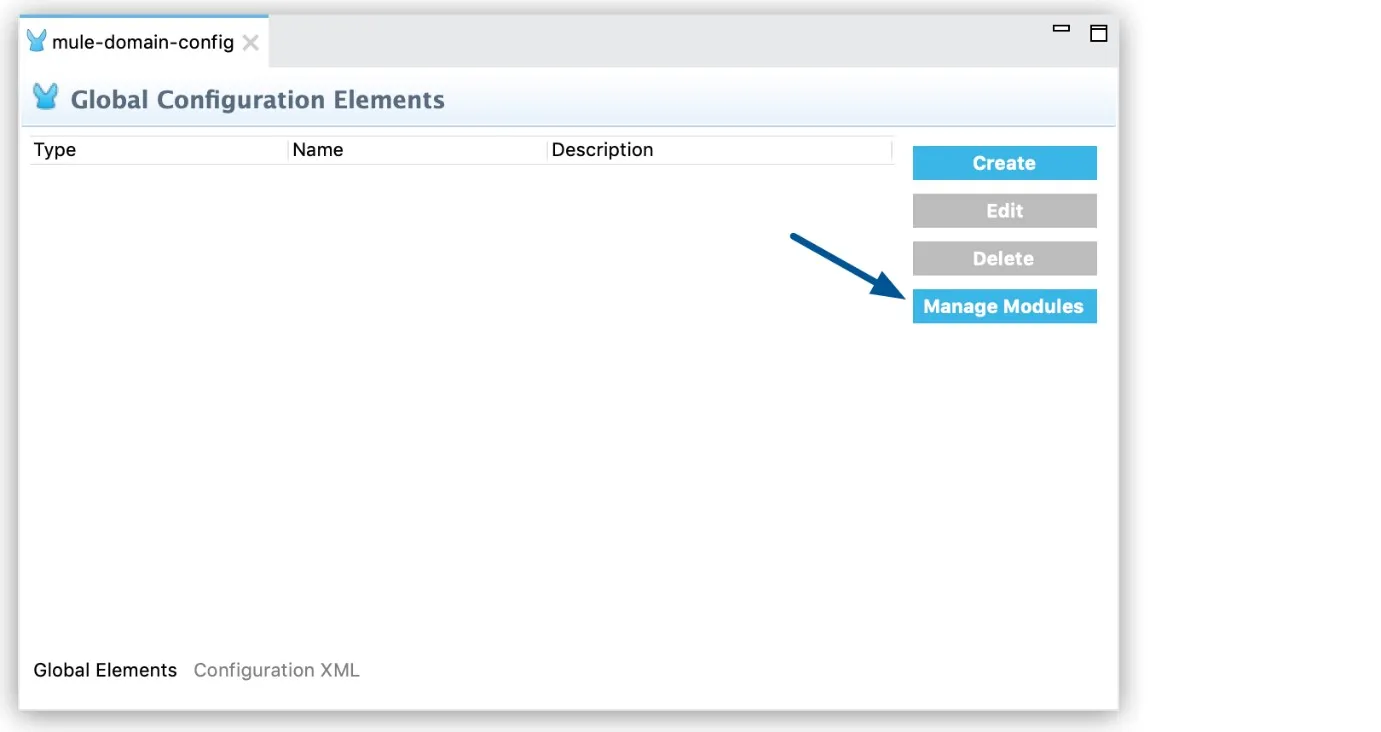
2In the Global Elements tab, click Manage Modules:
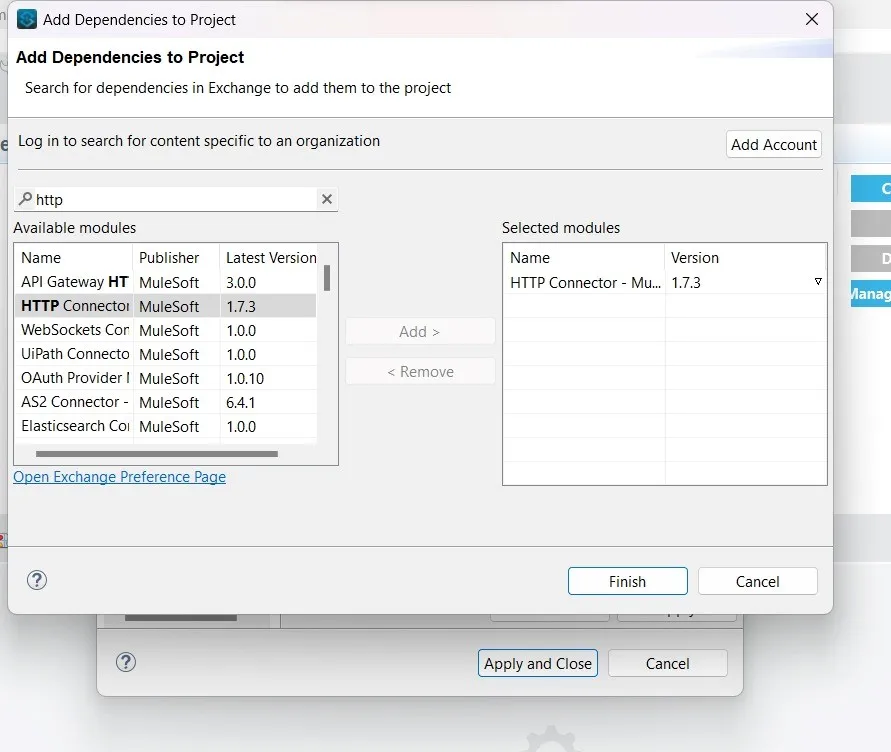
3Click on + button to add modules. From exchange import the HTTP and socket module and the modules which required.

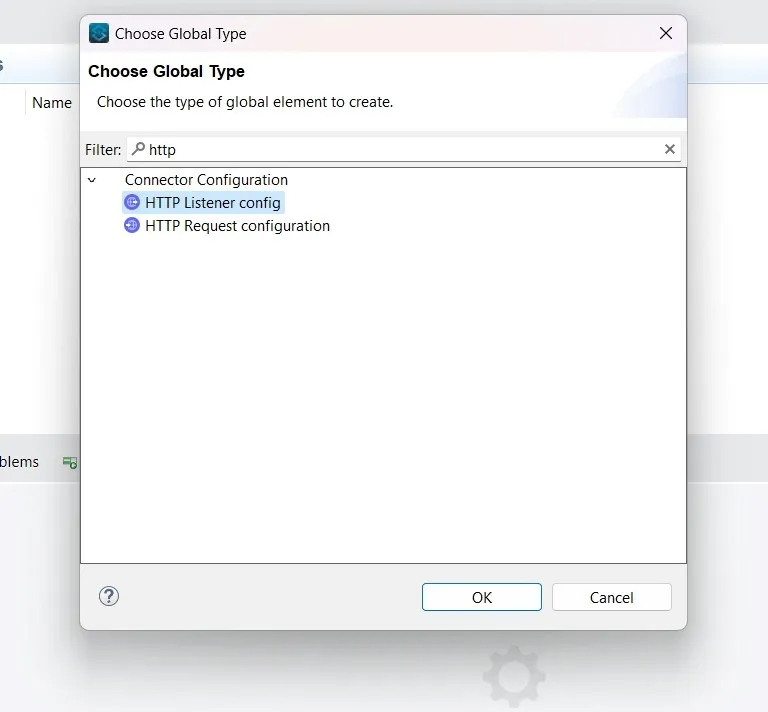
4Now select the required connector config.
5Create a mule project.
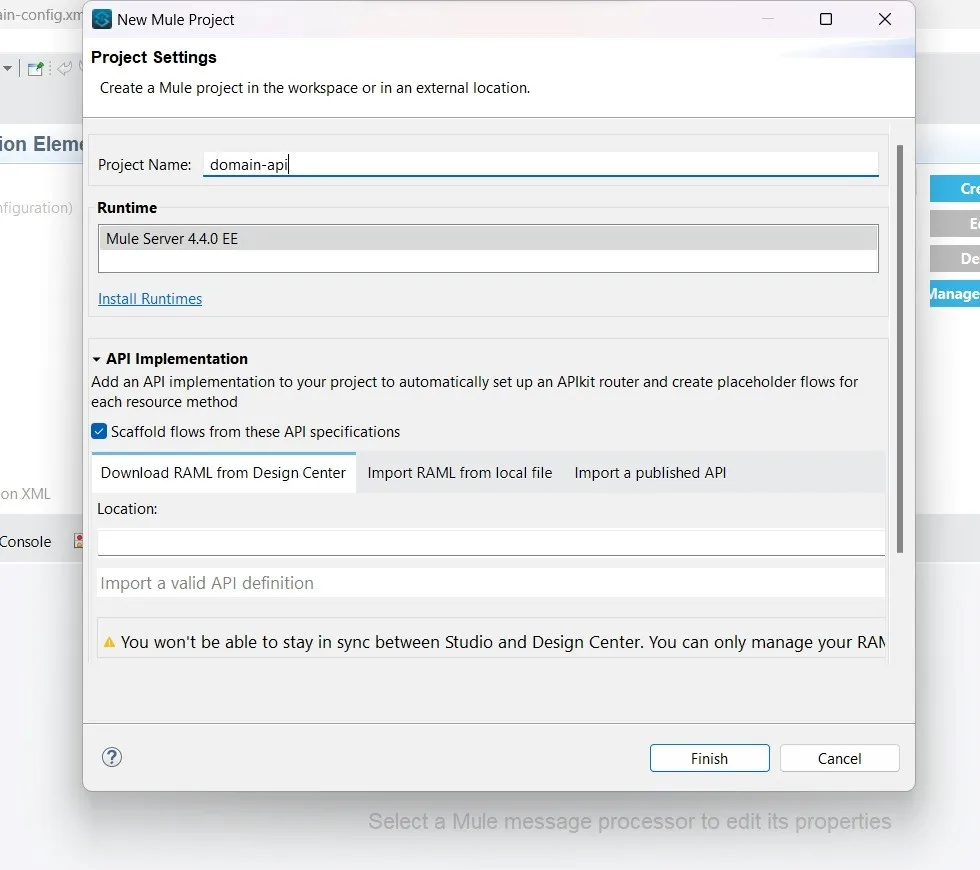
6Remove modules which are in domain project.
7Right click on the mule application. Click on properties. Go to mule project.
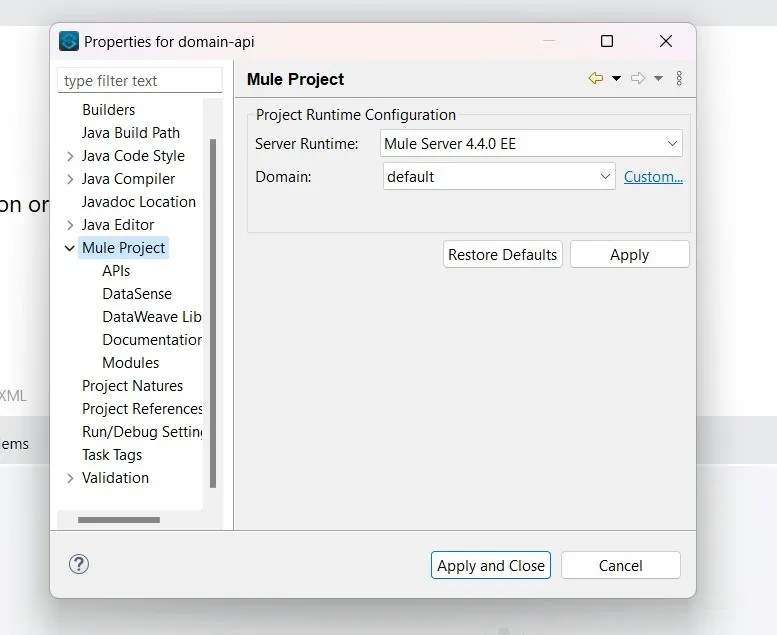
8Select the domain project from the drop down.
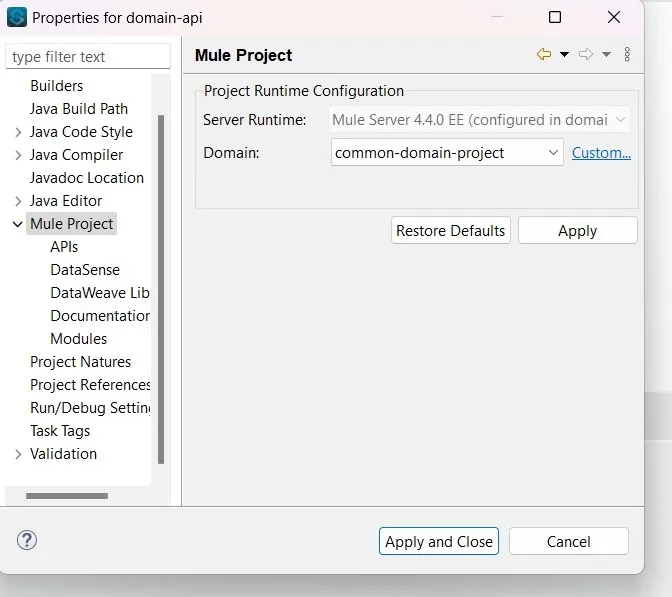
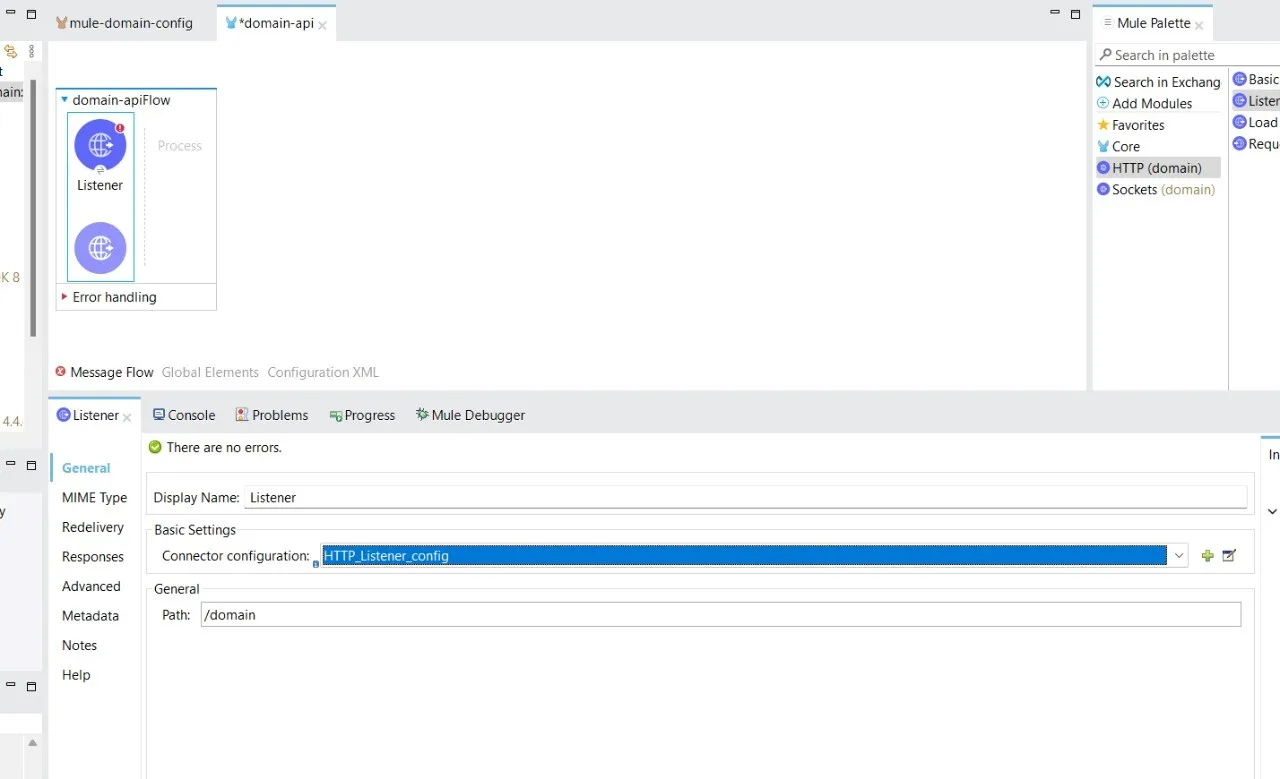
9Now we can see Http and socket module from domain project.
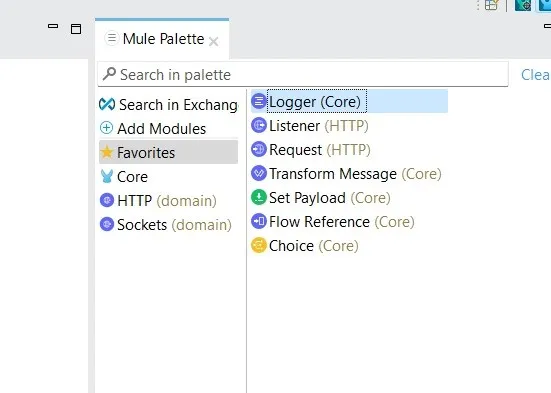
10The configuration will automatically come in the dropdowns.

“Thank you for taking out time to read the above post. Hope you found it useful. In case of any questions, feel free to comment below. Also, if you are keen on knowing about a specific topic, happy to explore your recommendations as well.”

About the Author
Soma Mitra
Integration specialist and enterprise solution engineer at DigitalBuzz Software, focusing on MuleSoft middleware, domain architectures, and reusable resource management.