
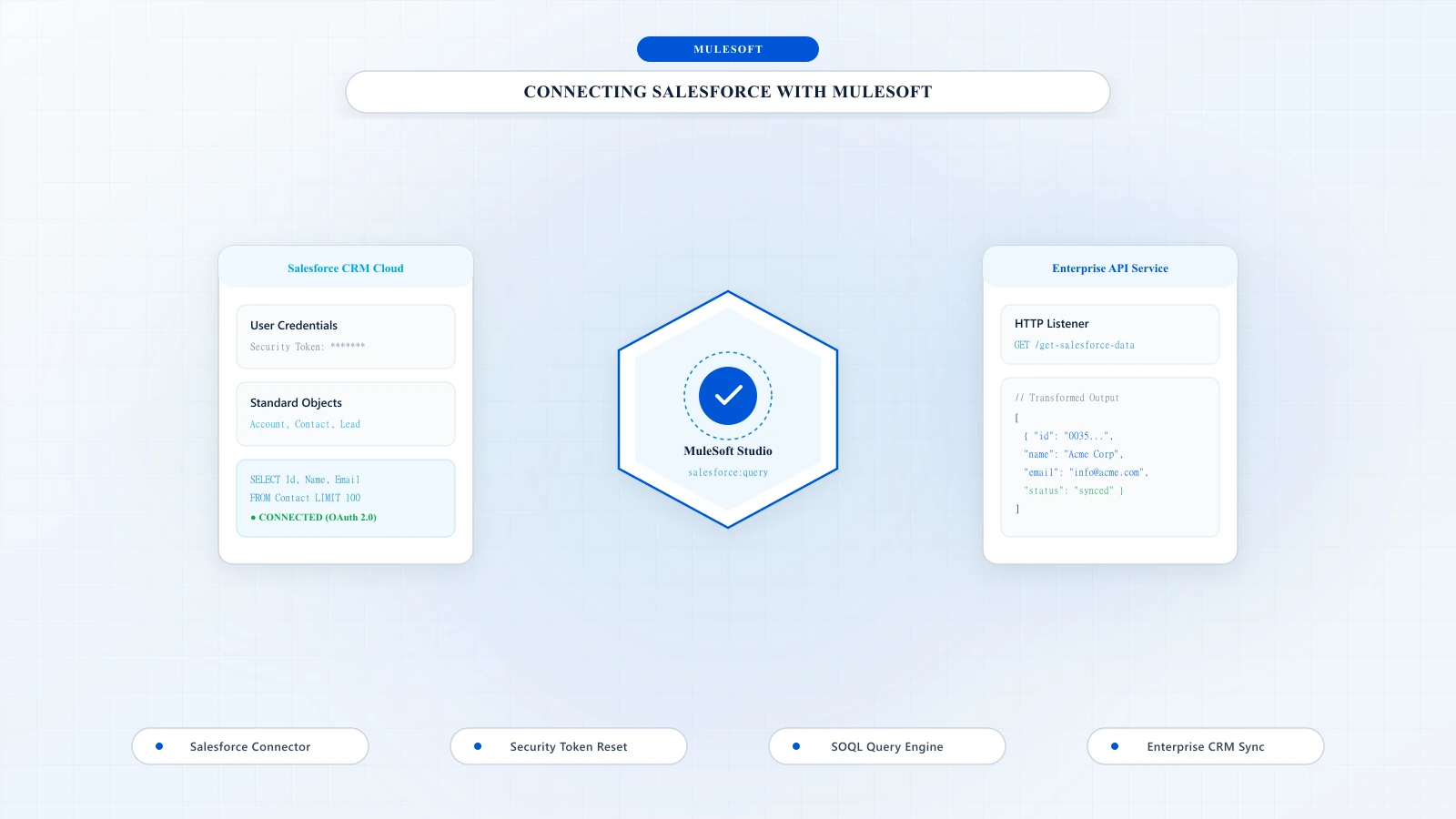
To Connect Salesforce with MuleSoft first you need to create an account on salesforce.com
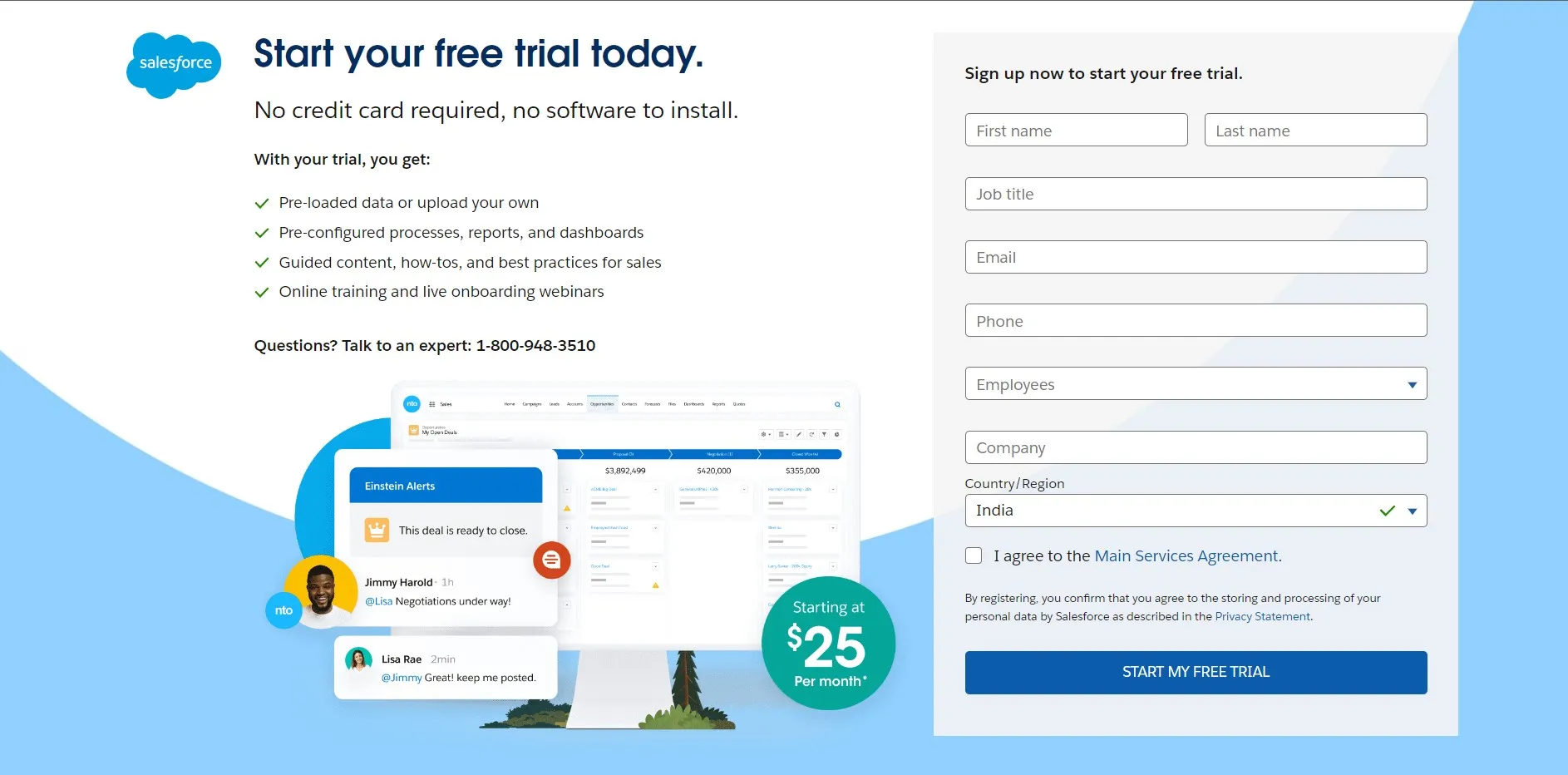
1Step 1: To create account on salesforce go to developer.salesforce.com and sign up by providing your basic details.
2Step 2: Reset Security Token. After sign up, login your account by providing username and password. On home page click on your profile and go to setting tab to reset security token. Go to Personal Tab and select "Reset My Security Token." You will get the security token in the registered mail id.


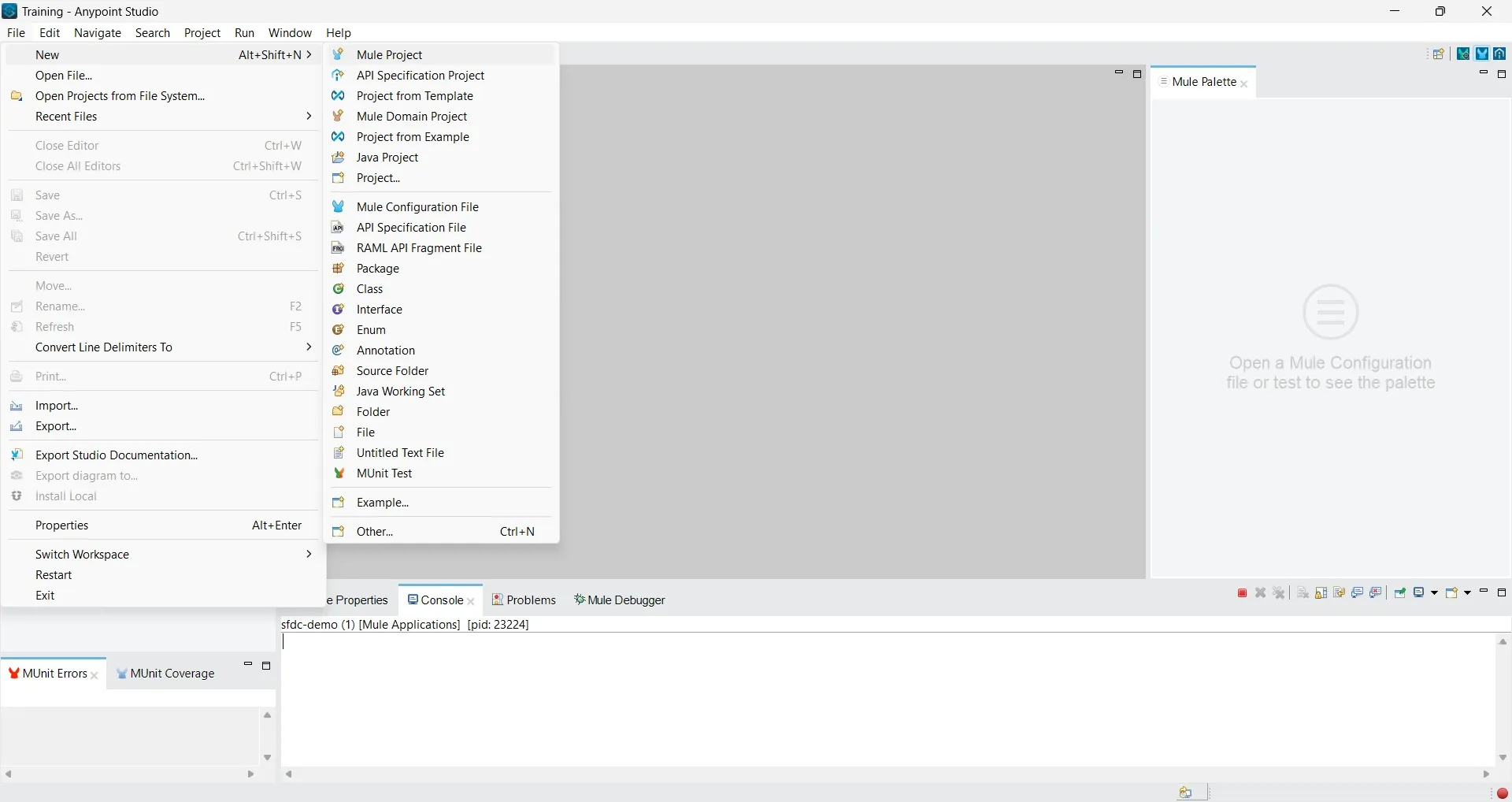
3Step 3: Create a new project in Anypoint studio. Here we will use salesforce query operation to fetch record from Account object. Go to File->New->Mule Project and give the project a name. Click Finish.
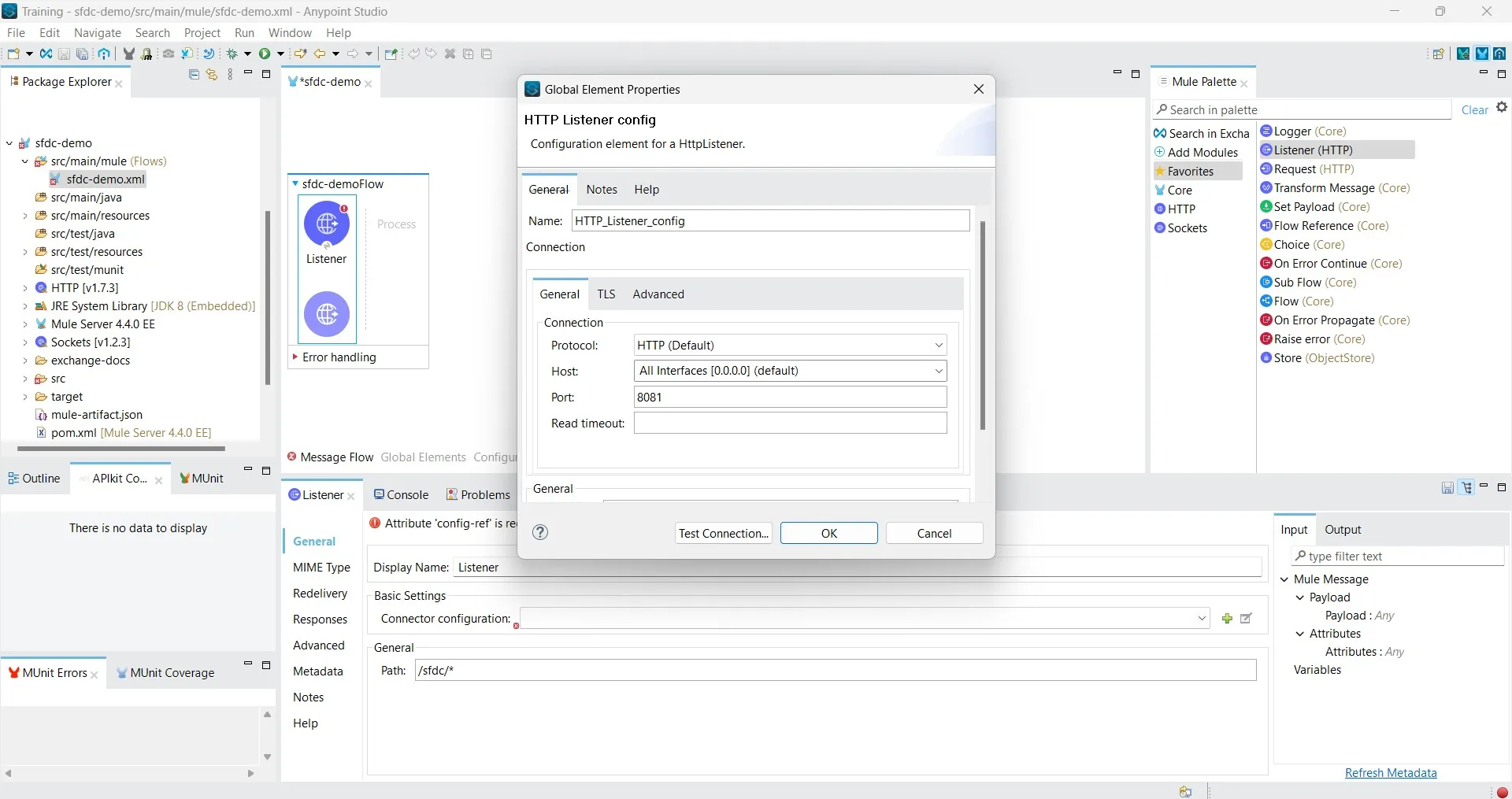
4Step 4: Drag listener, do listener configuration and provide path for listener.
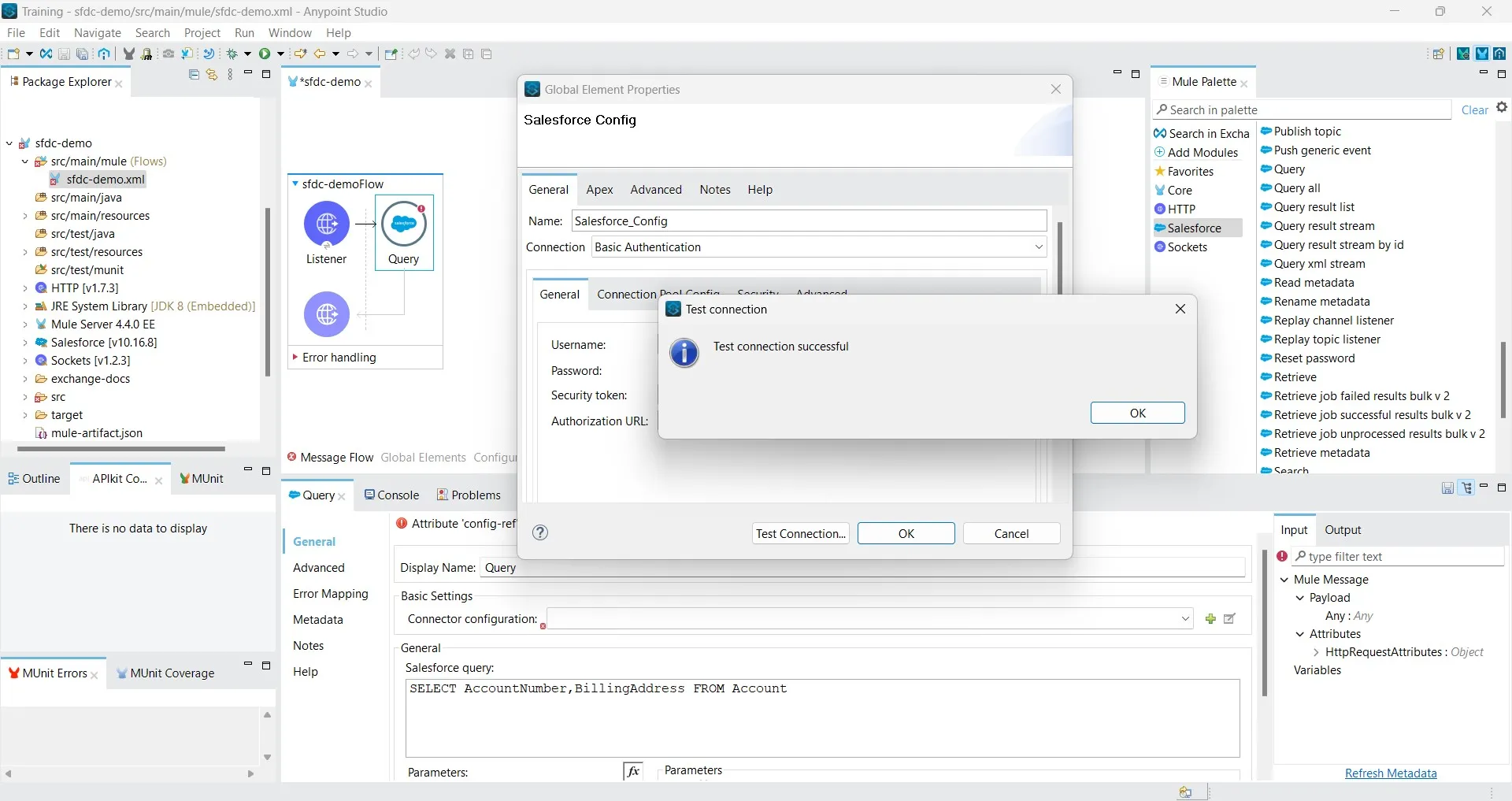
Drag query operation to flow, do salesforce connector configuration. In salesforce connector configuration select authentication method for connection, provide username, password and security token and test connection. Now write salesforce query in salesforce query section.
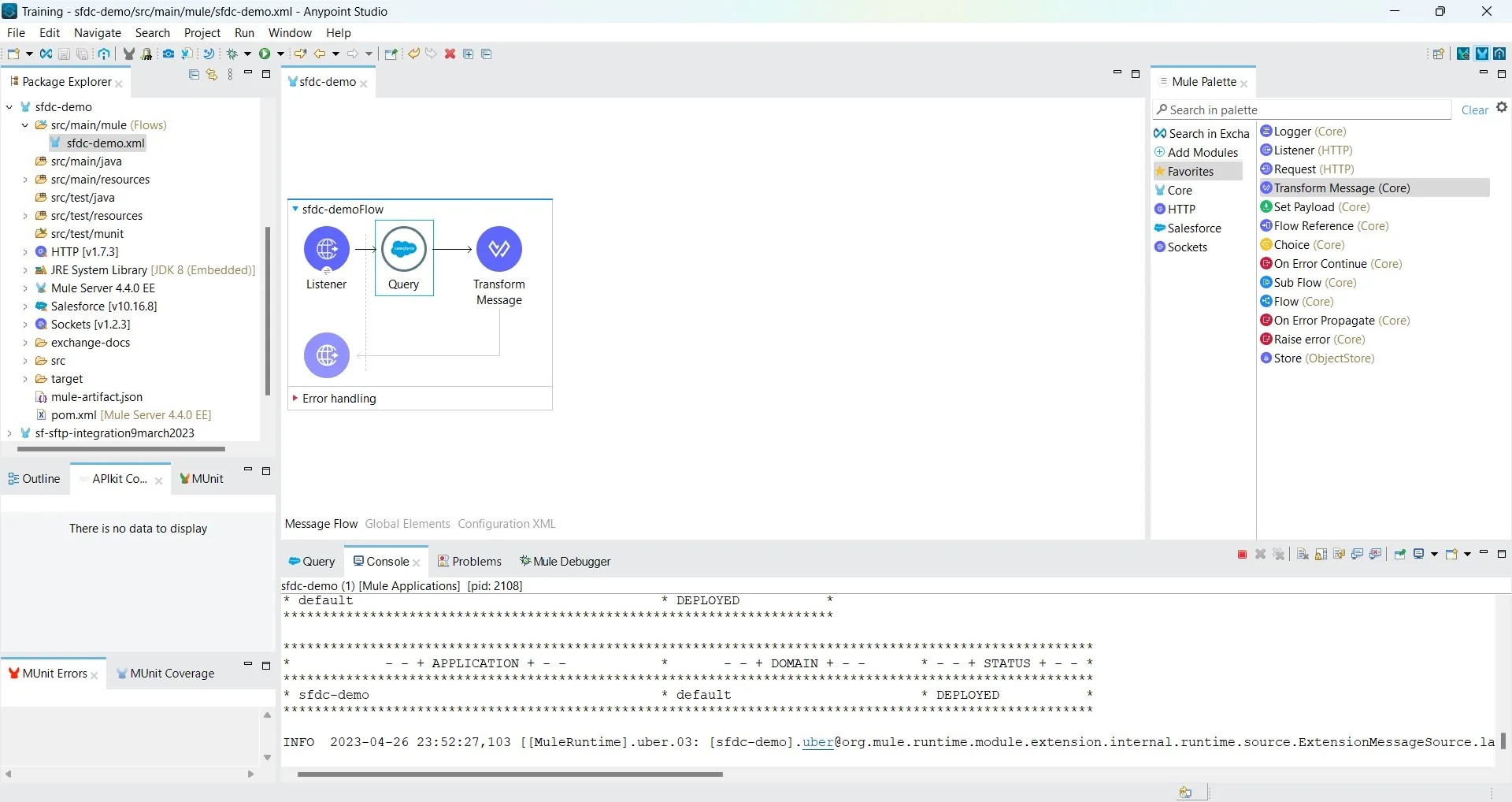
5Step 5: Add transform message to flow and write dataweave expression to display output.

%dw 2.0
output application/json
---
{
  "AccountNumber": payload[0].AccountNumber,
  "BillingAddress": payload[0].BillingAddress
}
Save and Run project
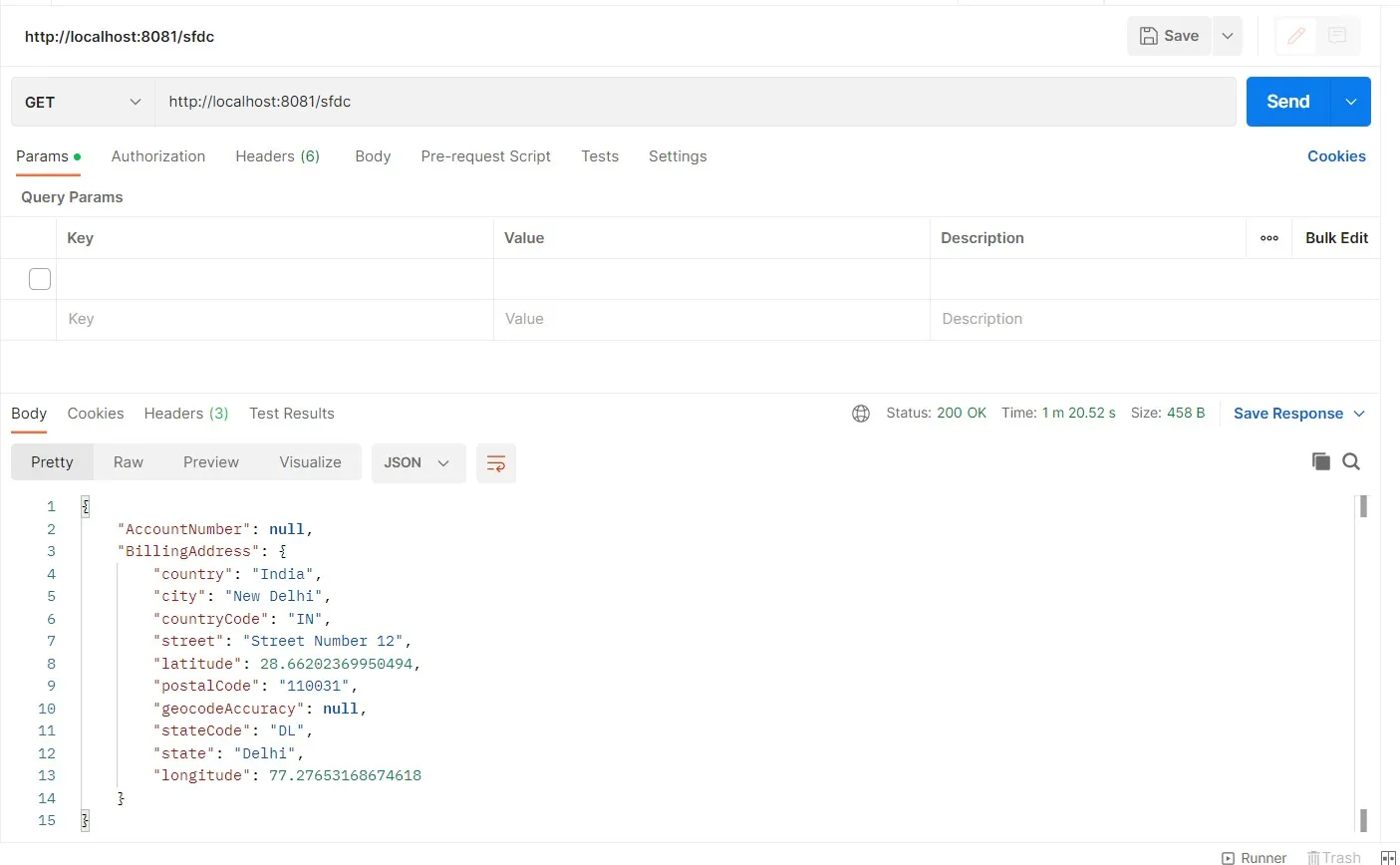
6Step 6: Send request from postman and you will get output payload.

“Thank you for taking out time to read the above post. Hope you found it useful. In case of any questions, feel free to comment below. Also, if you are keen on knowing about a specific topic, happy to explore your recommendations as well.”

Mukesh Kumar
Integration specialist and enterprise technology engineer at DigitalBuzz Software, focusing on Salesforce CRM solutions, MuleSoft Anypoint Platform, and cloud connectivity.